

Dashboard, statistics and more: new features for ePages Now
Most online shops have room for improvement. With this in mind, we’re constantly developing our ePages Now shop system. Our updates mainly focus on these three questions:
- How can we help you sell more?
- How can we make your shop more appealing to your customers?
- How can we make managing your shop even easier so you can focus on other things?
We also learn from conversations with customers where we can improve even further.
The result is the features we’re introducing to you in this article.
Have fun trying them out!
Legal guarantee notice and GARAN label
The discussion surrounding the cancellation button died down. Now another legal change is on the horizon: the legal guarantee notice and the GARAN label (guarantee label).
For consumer-facing offers, online retailers must display information about the statutory warranty—and, where applicable, a commercial durability guarantee—in their shop starting September 27, 2026. These new requirements are intended to increase transparency and better inform consumers about their legal rights.
For ePages merchants, implementing these requirements is straightforward. The legal guarantee notice can be activated in the settings and will then be displayed automatically in the footer. A custom note referring to the notice can also be added during checkout. For individual products, shop owners can additionally upload a GARAN label to display it on the product page. We’ve also prepared a blog post on this topic, where you can learn how to implement the legal requirements in your shop.
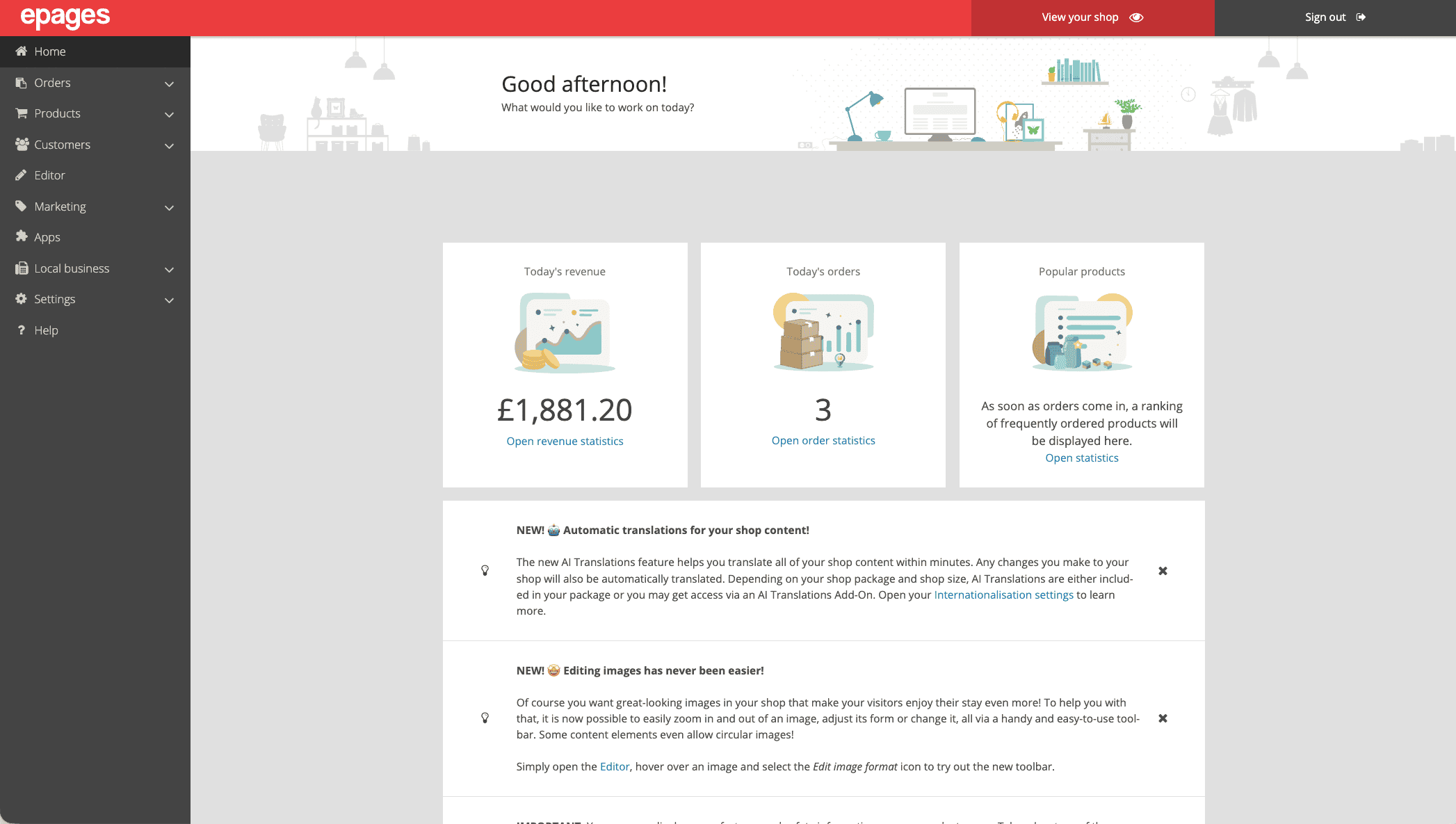
In the dashboard, you can see the latest key metrics for your shop.
The new dashboard and the statistics page
The better you understand what’s happening in your shop, the easier it is to understand your customers’ behavior and optimize your shop. That’s why we’ve introduced a new dashboard on the home page of your admin area.
The dashboard shows you today’s sales, the orders you’ve already received today, and your best-selling products.
If you want to dive even deeper into your shop’s statistics, there’s now a new statistics page for that. There, you can select a time period of your choice and see your shop’s key metrics at a glance:
- total revenue
- average daily revenue
- the average order value
- your best-selling products
This overview helps you identify trends, find your bestsellers, and make informed decisions for your shop.
Here’s an example: Let’s say you sell jewelry in your shop. The statistics page in the admin area shows you that certain earrings are currently selling particularly well. In that case, it’s worth featuring these products prominently in a content slider on the homepage and perhaps also offering matching necklaces. This way, you can generate multiple sales from a single best-selling product.
If you’d like to learn even more about your visitors’ behavior, you can also use the Trackboxx app from the App Store. Trackboxx also offers a free plan.
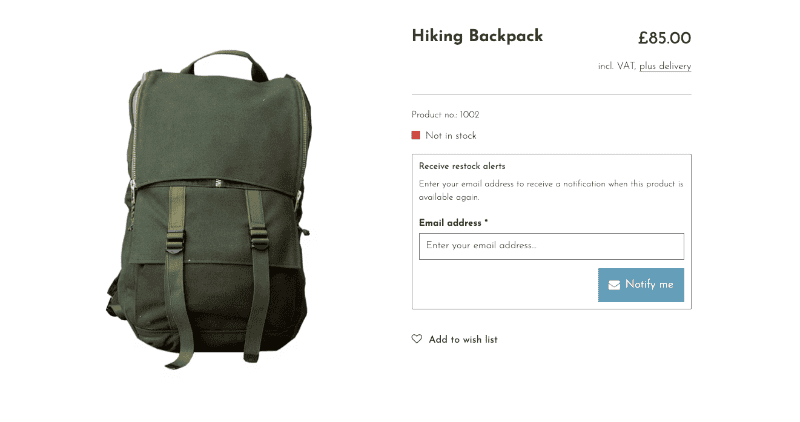
Customers can now leave their email address on your shop’s product pages.
Product availability notifications
If you shop online a lot yourself, you may be familiar with this situation: You want to buy a specific product from a shop, but it’s currently out of stock.
For shop owners, this is frustrating because it means a lost sales opportunity that may never come again.
Now there’s a simple solution: If a product is currently out of stock, your customers can enter their email address on the product page and will be automatically notified as soon as the product is back in stock. If the customer is still interested, they’ll return to your shop and place their order. This way, you no longer lose these potential buyers and, at the same time, provide them with excellent service.
Recover abandoned carts with uptain
A topic closely related to availability notifications is abandoned carts. This, too, is a widespread phenomenon in ecommerce: Customers consider shopping with you, even add products to their cart, and then leave the shop without completing the purchase. The reasons for this vary: Some visitors to your shop have changed their minds, and many simply forget to complete the purchase.
With uptain, these customers are automatically reminded via email that there’s still something waiting for them in their shopping cart. This way, they’ll still complete orders you thought were lost, and you’ll recover a portion of those sales without having to take any action yourself.
This feature is provided by our partner uptain. You can find the settings for this in the admin area of your Now shop by first selecting Marketing from the main menu, then More Integrations, and then uptain.
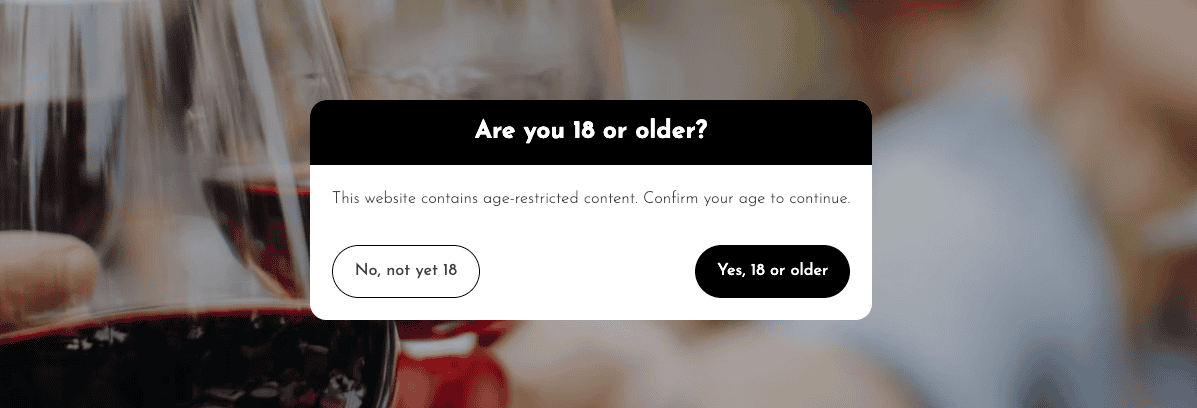
The age verification prompt is displayed before the customer can use the shop.
Age confirmation in your shop
This is perhaps the most frequently requested feature among merchants who sell age-restricted products—such as wine, spirits, or e-cigarettes.
With the age confirmation app, you can add a pop-up to your shop. Your visitors must confirm in the pop-up that they have reached the required minimum age before they can browse your shop.
You can find the app in your shop’s App Store and install it for free.
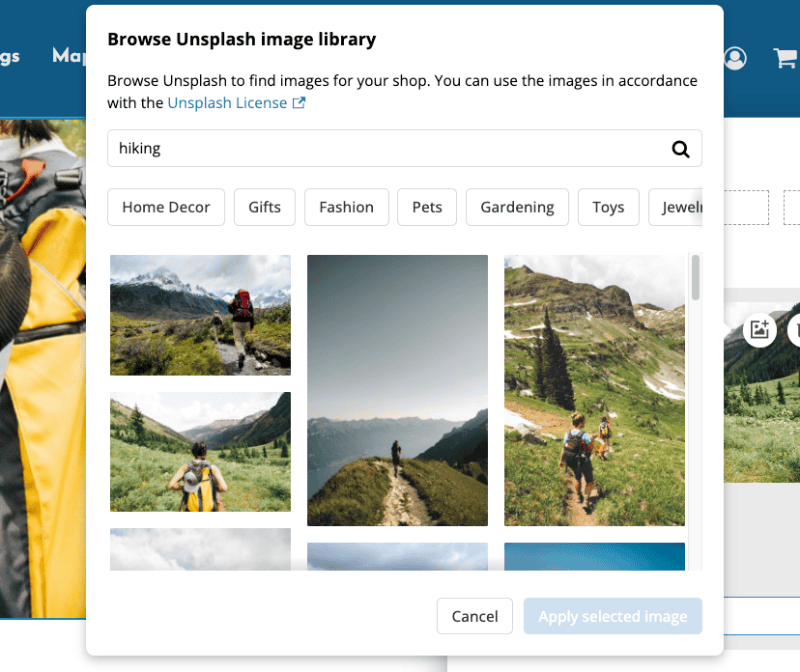
Unsplash offers thousands of attractive photos that you can use for free in your shop.
Find beautiful images with the Unsplash integration
The images in your shop have a huge impact on how your customers perceive your shop and your brand. Even the most beautiful shop design can’t make up for images that look unprofessional. That’s why many merchants turn to free image databases with professional stock photos, such as Unsplash.
If you occasionally need new images for your shop, we’re now making that much easier for you. You can now insert images from Unsplash directly within your shop’s editor. You no longer need to leave the editor—instead, you can conveniently search the Unsplash database right there. This way, you can find the right photos in no time and add them without any detours.

The Withdrawal button in the shop footer.
What’s new with the Editor and shop design
There have also been some updates to your shop’s editor and design. These changes give you more freedom in customizing your shop and make your daily work with it even more enjoyable.
More fonts for your shop
We’ve expanded our font library—it now includes additional modern fonts for body text and expressive fonts for headings. This gives you new options for your shop’s typography and allows you to tailor its appearance even more closely to your brand.
Background images for content elements
This change was also frequently requested by merchants. You can now add background images to content elements in the editor. To ensure your text remains clearly legible on an image, you can also use an overlay that slightly darkens the image. This allows you to combine an atmospheric photo with a clear headline without compromising readability or your customers’ user experience.
Header that remains visible while scrolling
In the editor settings, you can now specify how your shop’s header behaves. This is the top section containing your logo, the main menu, the search bar, and the shopping cart button.
For themes with a full-width header, you can now choose whether it disappears as usual when scrolling or remains permanently visible. This ensures your customers always have the menu, search, and shopping cart in view, making it easier for them to navigate.
A fresh new look for the editor
We’ve given the editor a new look. It’s now significantly brighter, more user-friendly, and better organized.
Coming soon
Our development teams are constantly working on the next features. Here’s a sneak peek at what you and your customers can expect in your shop soon.
Address management for customers
Your customers will soon be able to save multiple shipping addresses in your shop. When placing an order, they can then simply select the appropriate address. This is convenient, for example, for customers who regularly have packages delivered to their workplace.
More control over colors and fonts
You’ll soon have even more options in the editor to customize your shop exactly the way you want.
Google review app
Do you run a brick-and-mortar shop in addition to your online shop? If so, Google reviews are likely essential for you. The Google Review App gives you new ways to use these reviews for your marketing.
We updated this article in August 2026 and added new features.

ist Markting & Event Manager bei ePages.